Tuesday, 20 July 2021

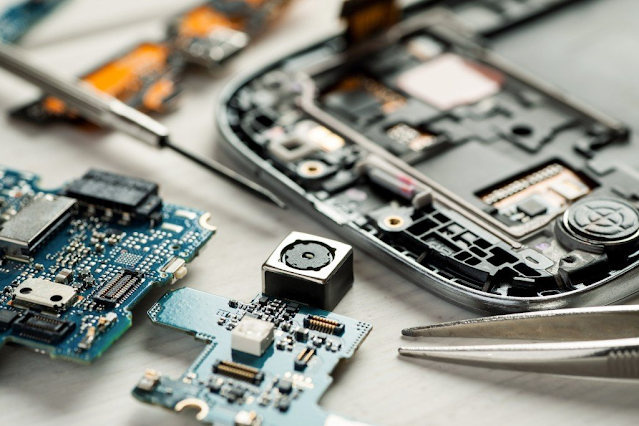
Causes & Signs of Samsung Phone Motherboard Damage Needing Specialised Repairs

Samsung Repairs Brunswick


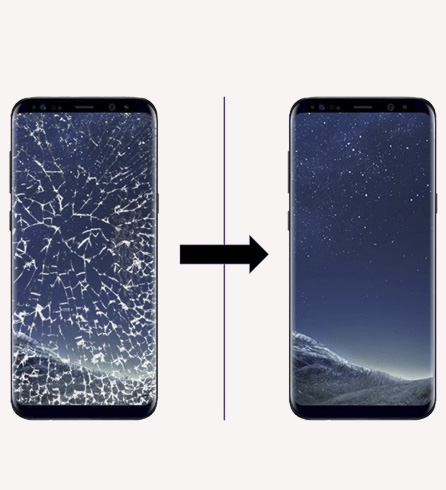
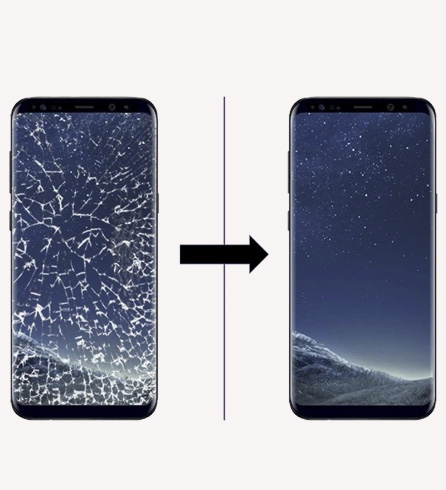
At times, your Samsung phone might cause serious troubles, which may render the gadget useless. As and when such issues unfold, you need to get your phone to qualified experts, who are competent enough to offer flawless Samsung repairs in Brunswick or elsewhere, thus turning your phone to almost new. 

Now the question here is how on earth will you know that the motherboard of your phone has died? Here are the signs and symptoms. 

Various common scenarios can hint that your phone motherboard is damaged. Below are some of them.

Your phone will refuse to turn on no matter how hard you try:

Your phone just won't switch on, no matter how hard you try, even when you have the charger plugged in. When in spite of trying to switch on, the phone does not respond, it is a sign that the motherboard has probably lived its life. You can try by charging the phone for 30 minutes or so, and then try. If you see the same result, it’s time to take it to a store that carries out Samsung repairs in Coburg or elsewhere depending upon where you stay. 

The Phone will remain dead even after switching batteries:

You can try switching it on by replacing the battery with another – predominantly a new one and you will see the same thing happening. The phone remains stone dead. This is one step further to surety that the motherboard has breathed its last. 

The Phone turns on but the screen shows nothing:

Normally, a phone would vibrate for a very brief period when it is switched on. Your phone might do so, but the screen will not light up and the booting process will not commence. Again, at times, the screen will light up but the lights will behave erratically, proving that the motherboard is malfunctioning. You need to get your phone at the nearest store that does Samsung repairs in Carlton or elsewhere. 

Your Phone starts up sporadically:

This is another telltale sign that says you need to have the motherboard of your phone repaired or replaced. You will find that your phone is rebooting at times all on its own. You will find it turning off and on frequently. 

Series of Simultaneous hardware Malfunction:

You will find a series of simultaneous hardware malfunctions surfacing up in your device. You will find stuff like the charger point, the headphone jack, the Wi-fi and the Bluetooth connection, the SIM card connector misbehaving. All these are signs of motherboard malfunction and you need to take the phone to a quality store that carries out Samsung repairs in Clifton Hill or elsewhere. 

What are the causes of motherboard repair? 

The principle causes of motherboard failure or malfunction are: 

  • Frequent hard drops
  • Water of other liquid damage 
  • Overheating Overcharging or use of inferior chargers 
  • Repair works done by incompetent and unskilled technicians 

Thus, you see, the principal causes behind motherboard failure in Android phones are negligence, reckless use and carelessness. Thus, if you are to prolong the life of the motherboard of your Samsung phone, you need to be a bit careful while using it. However, at the first sight of a problem, you must take your phone to an authorised and reputed store that carries our Samsung repairs in Collingwood to nip the issues in the bud. 

Saturday, 22 May 2021

Top Tips You Can Utilise For Effective Computer Data Recovery

It can be disastrous for anyone to lose his/her important data that has been stored on devices like computers and laptops. If there is any such occurrence, it can make things very complicated and you need to take your computer to a professional laptop repairer to get the job done without any hassle. However, there are a number of important tips that can be utilised for the recovery of your computer data in an effective manner.

Here is a look at a few of the top tips that are required to be kept in the back of your mind in order to ensure that you get the right results when it comes to opting for computer data recovery in an effective manner. 

Cloud backup

It is one of the most popular and secure ways to keep your data safe and ensure that you get the right results when it comes to backing your important data present on your computer. So the next time you are opting for laptop data recovery in Preston, investing in cloud backup can come very handy for you.

Limited usage

Unlimited usage of your devices like laptops and computers can harm the data present in them, which can eventually lead to their loss. This is why it is highly recommended that you should limit the usage of your devices and the data present on them so as to ensure that they don’t get lost.

Choosing verified software

It is important for you to choose verified software to be used on your computer, lessening the risk of data loss. So the next time you are opting to install a software on your laptop or computer, make sure to check if it is verified or not to ensure better results while opting for computer data recovery in Preston

To be proactive

If you find that the security of your computer has been compromised and there is a chance of losing your important data that is present on it, make sure to hire a professional to eradicate the threat and prevent the loss of data. Being proactive is very important to ensure there is no damage done to your data.

The aforementioned points provide us with a clear idea of the various important tips that you can find helpful in case of hard drive data recovery in Preston. So the next time you face any such awkward situation, make sure to implement these tips to save your data effectively.

Saturday, 17 April 2021

Top Tools That Professionals Need for Samsung Screen Repair Service


Mobile phones are not invincible. They face their share of lows as well. If you are a Samsung phone user you'd probably know why it is necessary seeking Samsung phone repair in Preston. Although you can’t overrule the precision with which a knowledgeable repair expert will attend to the fix, there is simply nothing more overwhelming than learning to do the job by yourself. Yes! Even you can perform Samsung screen repair on your own. 

Despite the fact that we would suggest you seek expert assistance, we are still here to help you with the fixing tools you will need in order to fix a Samsung screen problem or any issue concerning the phone. If you want to manage a broken smartphone it is important that you have a look at the tools you need to bring it to its original state: 

Suction cup type pliers 

A majority of times when it comes to Samsung screen repair in Preston you will discover how important the suction cup type pliers are. Some of the devices will demand you to first remove its display in order to access deeper layers of the device. The suction cups of the pliers are used for soft handling of the screen. 

Magnetic mat

One of the crucial challenges which Samsung phone screen repair experts in Preston have to deal with are the tiny components which are prone to getting misplaced. The magnetic mat helps keep the metal components in place lest they don’t fall off or move. 

Magnifying glass 

Here is another tool you can’t thank enough for letting you focus on the minute parts of a smartphone. The magnifying glass brings things closer than expected. Mounted on a stand the magnifying glass makes it easier for you to get an understanding of the parts. 

Desk lamp 

The desk lamp is something that even the best smartphone repair professional uses. The fundamental tool brings to light hidden flaws in parts. Such extra light makes it easier to fix a phone. 

Soldering iron 

The soldering iron too is a crucial tool used by a Samsung phone screen replacement specialist in Preston. The tool is extremely important for soldering tinier components like diodes. 

Soldering station 

If you are thinking of getting a DIY phone repair setup make sure you add the soldering station to the list of tools you need for successful accomplishment of the job. The tool contains the soldering iron along with the station for keeping the iron rod. This equipment is designed to control the temperature for soldering needs. 

Solder wire 

The soldering station is complete only when you have the soldering wire. The wire is helpful in soldering different components. 

These are some vital tools you will need for fixing the screen of your smartphone or when you are repairing a different part of the device. 

Monday, 22 March 2021

Top Reasons Why Your Samsung Phone Screen May At Times Fail


If you are a Samsung phone user you’d better know by now that you have entered the android family. Despite the phone being produced by one of the leading manufacturers, your Samsung phone is not free of flaws. 

One of the commonest errors Samsung smartphone users encounter is an unresponsive screen which happens for three distinct reasons as stated in the following lines. However, before we go on to describe the problem, we will like you to consider the first major tip; get your hands clean before touching its screen. Sometimes, your phone may turn unresponsive when you operate it with unclean hands. In the next few lines, we will discuss some major errors related to an unresponsive screen which will prompt you to seek Samsung repair services in Preston

When the external factors cause the smartphone to become unresponsive

This can happen under a few scenarios as discussed in the following lines: 

  • When a prevailing magnetic field affects your phone. As soon as you discover the phone screen turning a little less sensitive, make sure it is not placed somewhere near a magnetic field. 
  • Static electricity can also be blamed for an unresponsive screen. That’s why clean your hands from dirt or materials that cause static electricity. Take a little more time before you touch the screen. 
  • A “dead touchscreen” is the last thing you want to notice on your Samsung phone. If you find the phone not responding to your touch it could be because of the electric current. So, just unplug the charger and allow the smartphone to recover from the dead situation. You don’t need to panic and take it to a Samsung phone repair service centre in Preston. 
  • Sometimes when the phone is exposed to extreme temperature its screen is likely to turn unresponsive. 

Samsung phone crash 

Our suggestion is, hold the start button and turn off your phone. After a few seconds turn it on. The unresponsive screen might get back to normal. We will recommend you boot the Samsung smartphone in recovery mode and get it solved. 

App problems leading to an unresponsive screen 

Here is another reason why your smartphone must have been encountering the unresponsive screen issue. Remember if the problem gets difficult you might need to hire Samsung phone repair services in Preston. Application related issues often lead to an unresponsive screen. Let’s discuss: 

  • Sometimes a malicious app can stop the screen from working. 
  • At other times you can blame it on an application which is too big for the system to run and hence causes the touchscreen to stop. 
  • Some particular apps may not support the screen and will cause the touchscreen to stop.

If the problem gets complicated rush to a suitable Samsung screen repair centre in Preston and get it fixed. 

Thursday, 18 February 2021

Why Micro Soldering is an Important Part of Phone Repairs?


Smartphone owners often have to face this statement ‘your phone needs micro-soldering'. Not knowing what this is all about a lot of users simply opt out of the process assuming that it’s some expensive job which is likely to cost a huge sum of money. Here we are going to explain what micro-soldering really is. 

What is soldering? 

Soldering is an intricate job involving the connection of wires by means of a metal alloy made from tin and copper. The metal alloy is used to connect metal surfaces. Furthermore the alloy has a melting point of 850 degrees  Fahrenheit. The main purpose of soldering is to allow the surface joined by wires to become electrically conductive. Alloys allow electricity to flow around a metal surface. 

Why do phones need micro soldering? 

Often times the motherboard of a smartphone gets damaged prompting the user to seek phone repairs in Brunswick. When it comes to joining two components micro soldering comes to the rescue. This intricate job of handling tiny components on a phone demands skills and knowledge. Typically its role becomes prominent when a wire or component needs to get fused into the circuit after a considerable damage. There are different types of solders available. The difference lies with their component and purpose. The solders can be either leaded or non-leaded. It’s a fact leaded solder has lower melting point than non-leaded solders. At times mobile phone repairs experts in Reservoir will use bismuth to develop lower melting point. 

Use of flux in soldering 

During micro soldering flux is widely used. Flux is basically a thick liquid which lets the solder to flow into a specific connection where the repairing expert wants it to melt. It is a fact without the use of flux soldering doesn’t take place properly. Absence of flux makes dry connection. 

Microsoldering is often applied on small sized smartphones. Under certain scenarios microsoldering becomes integral especially when surface components need to be shrunk. Suppose you are the owner of a Samsung phone which has undergone screen damage you will need Samsung screen repair in Reservoir which might prompt the expert to dismantle the phone and its micro components which can only be treated with microsoldering. Standard tools will hardly be of use to the expert. The size of the components are so tiny that they can be smaller in size than a rice grain. 

Sometimes when the components get even smaller the expert will need a tinier soldering tip. Also under such scenarios the use of a microscope becomes necessary. Hence the term microsoldering becomes more apt. When anything needs to be repaired or soldered with the help of a microscope the process is called microsoldering. 

Thursday, 14 January 2021

6 Common Computer Data Recovery Challenges Users Face These Days

Advancement in technology is benefiting the data storage industry in multifarious ways. Nevertheless amidst such rising need for data storage, we are witnessing fresh challenges in data recovery. There is no denying the fact that data plays an integral role in our lives as it is an all encompassing element which is responsible for making daily activities more convenient. Here we are about to discuss the 6 most backbreaking challenges in data recovery: 

Cloud storage 

Cloud storage has been receiving accolades from the IT front owing to the manifold ways it makes life convenient and effective. Considered one of the primary options for data backup and storage Cloud storage also reveals it’s down sides. Since cloud storage systems are controlled by vendors the likelihood of data misuse, storage and theft cannot be ignored. Furthermore computer data recovery in Preston from the cloud storage vendor can appear a wee bit daunting since the vendor will not allow you to access or use the several detailed configurations applicable on their individual tech platform. Hence, data recovery will appear more challenging. 

Virtualisation 

Although virtualisation is beneficial with respect to our data needs yet at the same time it makes data recovery a tough job for many chiefly because it brings a wide array of complexities to the forefront like: 

  • Deleted virtual disks 
  • Deleted virtual machines 

Thus, it makes the job of recovery more complex and time consuming. Also, the virtual environment entails the use of a single unified hardware which when starts malfunctioning can corrupt everything linked to it. 

Encryption 

Encryption which no longer is solely associated with software functioning is now applicable for operation of hardware devices. Since, encryption has become a mainstream objective in the IT front we have been witnessing the advent of sophisticated and advanced methods for data encryption which make data recovery all the more challenging and complex. 

Solid state drive 

The solid state drives are hard to manage especially when there is significant data loss or corruption. Despite the manifold benefits they offer, such hard drive data recovery in Preston turns out

Friday, 11 December 2020

4 Preventive Measures to Keep iPhone Screen Safe from Cracks & Breaks

Buying an iPhone is a costly affair and you can't afford to be so causal while handling your device. A slight mishandling or slip of hands can shatter your phone screen into pieces and overburden your pocket with hefty dollars. Moreover, iPhone is delicate and sensitive compared to other handsets and therefore, you need to take special care and attention to prevent cracking or breaking of screen. 

Here are a few smart hacks by which you can prevent cracking of your iPhone's screen. Stay glued till the end.

  • Invest in Good-Quality Screen Guards

If you have recently bought a brand new iPhone, you should spend a few more bucks to protect it from cracks or damages. iPhone screen is fragile and the first thing you should buy is a high-quality screen protector to protect against rough handling. The market is flooded with plenty of screen guards and you may either use plastic or tampered glass that can fit your budget and protect your phone screen from breaking. Screen guards act as a protective shield and absorb shocks when your phone accidentally hits the ground.

  • Buy a Sturdy Back Cover

If you want to eliminate the hassle of taking your phone frequently to a mobile repairing centre, it's wise to invest in a sturdy back cover to protect your device from dropping. A good-quality back cover comes with soft cushion support that protects the edges of your iPhone and keeps the circuits safe against rough handling. Additionally, firm edges keep the phone in place and absorb shocks in the event of accidental drops. To save your pockets from iPhone screen repair in Preston, invest in a costly back cover at the time of buying.

  • Use Tampered Glass Protectors for Best Protection

The market is flooded with plenty of glass protectors and you might get confused to decide between which one to use for your delicate device. However, technicians offering iPhone screen replacement in Preston always suggest using tampered glass protectors as they can withstand heavy shocks and rigorous use unlike the regular ones and protect iPhone screen from cracking or scratches. Unlike regular screen protectors, tampered glass comes with sturdy films and protects your delicate device from damages.

  • Handle Your Device Carefully

Last but not the least, handle your device with proper care to save your pockets from hefty repairs. Your phone's safety is your priority and if you have the habit of rough handling, it's high time to keep your activities in check to make your iPhone look like new for years. Avoid messing up with your device as it may trigger the potential of accidental slips and drops and curtail the lifespan of your pricey handset.

Hope you find this piece of content helpful. If you like this post, do let us know your feedback. We would love to hear from you!

Is Professional iPhone Repair at Home the Fast, Convenient & Easy Option

A damaged iPhone can disrupt your daily routine, but getting it repaired doesn’t have to mean visiting a repair shop. With   iPhone repair a...